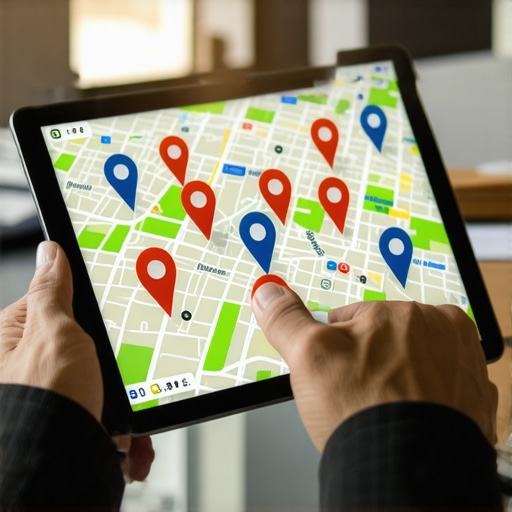

Scaling Map Presence: How to Manage Hundreds of Profiles Efficiently
Scaling Map Presence: How to Manage Hundreds of Profiles Efficiently
I spent three months fighting a hard suspension for a plumbing client whose listing was nuked simply because they shared a suite number with a defunct law firm. Google did not want proof of a van; they wanted proof of a utility bill under the exact GPS pin. My eyes were bloodshot from staring at map grids. I smell like diesel and cold coffee. The air in this office is thick with the scent of old paper and the hum of servers processing thousands of spatial coordinates. When you manage a fleet of five hundred profiles, you stop seeing businesses and start seeing proximity beacons. You see the grid. You see the flow of service calls across a three mile radius like a logistics manager watching a fleet of freight trucks. If a single data point is off, the entire supply chain of leads collapses. Most agencies treat a Google Business Profile like a social media page. That is a fatal error. It is a spatial database entry governed by the physics of distance and the forensic trace of mobile device signals.
The logistics of the proximity beacon
Scaling a map presence requires a rigorous audit of GPS coordinate salience and strict NAP consistency across every node in the network. Managing hundreds of profiles is not about creativity; it is about the cold, hard math of location intelligence. If you are handling a massive footprint, you need the best software tools for dominating the google maps 3 pack to ensure your data does not drift. Every time a business changes its service radius without a strategic plan, the algorithm recalculates the trust score. I have seen why map rankings stall when you change your service radius firsthand. It happens because the centroid of the business moves too far from the density of its historical reviews. The algorithm views this as a high risk event. It smells like a fraud attempt.
“Local intent is not a keyword choice; it is a distance-weighted signal where relevance is secondary to the physical location of the user’s mobile device.” – Map Search Fundamental
Why your physical address is a liability
Your business address is a data point that either anchors your authority or acts as a trigger for a manual spam investigation. In the world of multi-location SEO, the ghost office is your greatest enemy. Many brands try to hide behind coworking spaces or virtual suites. This is a trap. I have spent years removing old addresses to fix local trust for clients who thought they could outsmart the system. Google knows the difference between a real commercial lease and a mail drop. They track the forensic footprint of the Wi-Fi routers in the building. If they do not see a cluster of mobile devices staying stationary at that address during business hours, your profile is a target. You are essentially asking for a hard ban. Understanding why your multi-city business data is confusing the local algorithm is the first step in stabilizing a fleet of profiles. You must prove physical presence through high resolution photos that contain clear, unedited metadata. A photo taken by a customer inside the shop is worth more than a thousand backlink signals from a generic blog.
The software that handles the map pack load
Efficiency in scaling necessitates a toolkit that can detect NAP inconsistencies and track real time ranking fluctuations without human intervention. You cannot manually check five hundred cities every morning. You need the software we trust for real-time map rank tracking to alert you when a competitor starts a spam attack. I have seen competitors drop twenty fake reviews in an hour to trigger a quality filter. If you do not have a system to fight competitor gmb spam attacks, you will lose your ranking before you even finish your morning coffee. The logistics of this are brutal. You need a centralized dashboard that pulls in data from Google Search Console, the GBP API, and local citation sources. This is how you spot the unseen citation errors that confuse google. A single mismatched phone number on a forgotten directory can kill the ranking for an entire city branch. It is a loose screw in a massive machine. You tighten it or the machine breaks.
Local Authority Reading List
- Managing 10 locations without merging your google business profiles
- The exact toolkit needed for local map pack growth
- Why your business profile ranking tanked after moving cities
- How to fix a hard suspension and get your service area business back on maps
Fighting the fraud in the service area
Service area businesses must provide specific proof of presence to avoid the filter that hides overlapping polygons from the local search results. When you scale, you often create overlapping service areas. This is a red flag for the spam team. They suspect you are creating ghost listings to dominate a region. I always recommend scaling your service radius without getting your office flagged for spam by using unique utility bills and distinct staff photos for every location. If you use the same truck photo for ten locations, the AI vision algorithm will catch it. It will flag your account for deceptive practices. You also need to be wary of toxic link cleanup needs. Often, when businesses grow, they hire cheap agencies that build thousands of low quality links. These links do not help you rank. They act as a weight. They tell Google that your site is untrustworthy. Scrubbing that data is like cleaning a grease trap; it is dirty work, but if you do not do it, the whole system catches fire.
“Local relevance is a calculated score based on the entity’s history of serving a specific geography, not just its proximity to the searcher.” – GMB Ranking Theory
The recovery path for the nuked profile
Restoring a suspended business profile requires a forensic audit of the address history and a direct line of communication with the verification team. If your profile is gone, you have to act fast. I have helped countless owners through the step-by-step path to overturning a business profile suspension. It usually comes down to a tiny technical error. Maybe your primary category was changed by a third party app. Maybe your schema markup has a syntax error that hides your business from nearby customers. I always check the specific schema errors that hide your business first. If the JSON-LD on your website does not match the data in your business profile exactly, Google loses confidence. They stop showing you in the Map Pack. They move you to page two. That is where businesses go to die. We do not let that happen. We audit the signal. We fix the link. We restore the lead flow.


![5 Fast Maps Scaling Fixes for Multi-Location Brands [2026]](https://mappackgrowthsystems.com/wp-content/uploads/2026/01/5-Fast-Maps-Scaling-Fixes-for-Multi-Location-Brands-2026.jpeg)